

Power BI Course in Hyderabad: What to Look For Before You Enroll
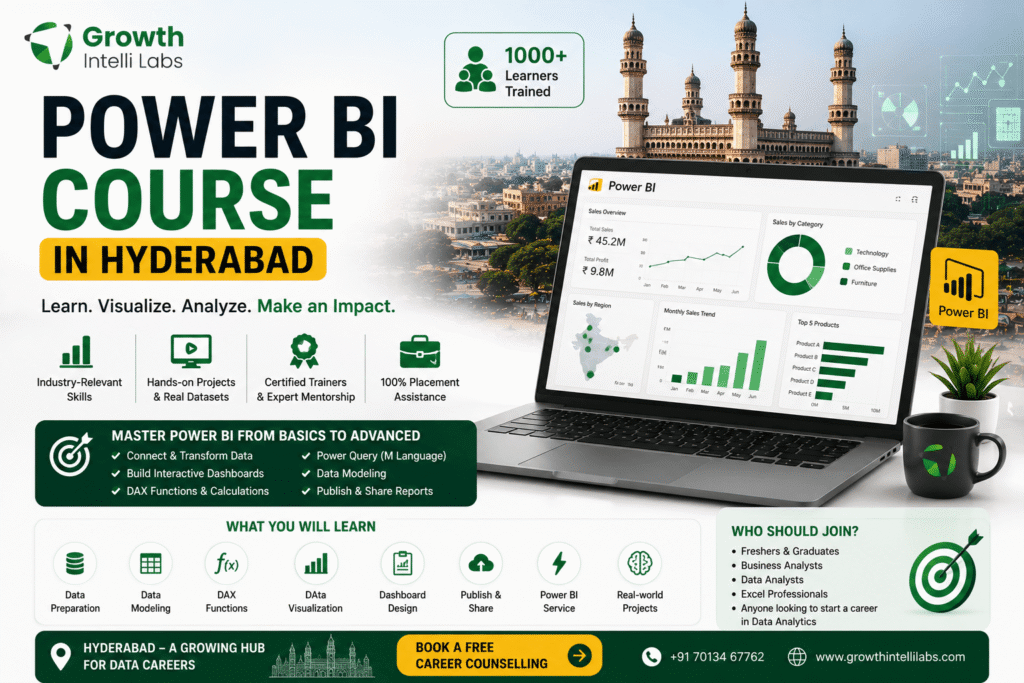
Why Power BI Skills Matter Right Now in Hyderabad
If you’re comparing a Power BI course in Hyderabad against other training options, it helps to start with why the skill is in such demand locally. Power BI remains one of the most in-demand business intelligence tools in Hyderabad IT and GCC (Global Capability Centre) job market, with hundreds of open roles listed on major job portals at any given time. Companies across banking, healthcare, retail, and IT services use it to turn raw data into dashboards decision-makers actually read.
Hyderabad’s job boards consistently show active hiring for Power BI-related roles. A snapshot of listings on portals like Naukri, Indeed, and Foundit typically shows several hundred open Power BI positions in the Hyderabad/Secunderabad region at any point in time – ranging from Power BI Developer and Power BI Analyst to hybrid roles like Data Analyst (Power BI + SQL) and BI Engineer. These numbers fluctuate week to week, so treat them as an indicative signal of steady demand rather than a fixed count.
This demand is being fed by two forces specific to Hyderabad: the city large concentration of Global Capability Centres (GCCs) for banks, insurers, and consulting firms that run centralized reporting teams out of Hyderabad, and the broader shift among mid-size and enterprise companies away from static Excel reporting toward live, self-service dashboards. Both trends favor candidates who can combine Power BI with SQL and a working understanding of data modeling – not just people who know how to drag fields onto a canvas.
If you are evaluating a data analytics course in Hyderabad or a Power BI-specific program, the market context matters: employers are hiring for people who can build a full reporting pipeline, not just format a chart.
What a Genuinely Good Power BI Course Curriculum Covers
A genuinely good Power BI course covers four core pillars in this order: Power Query (data preparation), data modeling (relationships and star schema), DAX (calculations), and -report/dashboard design – followed by deployment, sharing, and governance in the Power BI Service. If a syllabus skips any of these, treat it as incomplete.
This sequencing is not arbitrary – it mirrors how Microsoft itself structures the PL-300 Power BI Data Analyst certification exam, which is organized around four weighted skill areas: preparing data, modeling data, visualizing and analyzing data, and deploying and maintaining assets. A course that trains you for real BI work (and for certification, if you choose to pursue it) should map cleanly onto these areas.
Here’s what each pillar should actually include:
Power Query (Data Preparation)
- Connecting to multiple data sources (Excel, SQL Server, SharePoint, web/API sources)
- Data cleaning: removing duplicates, handling nulls, splitting/merging columns
- Query folding and understanding when transformations push back to the source
- Building repeatable, parameterized queries (not one-off manual cleanups)
Data Modeling
- Star schema design vs. snowflake schema, and why star schema is generally preferred
- Fact tables vs. dimension tables
- Relationship types (one-to-many, many-to-many) and cardinality
- Row-level security basics
DAX (Data Analysis Expressions)
- Calculated columns vs. measures – and when to use which
- Core function families: aggregation (SUM, AVERAGE), filter (CALCULATE, FILTER), time intelligence (TOTALYTD, SAMEPERIODLASTYEAR)
- Context: row context vs. filter context (this trips up almost every beginner)
- Building KPIs and variance calculations used in real business reporting
Visualization and Report Design
- Choosing the right visual for the data (not just “what looks nice”)
- Interactivity: slicers, drill-through, bookmarks, tooltips
- Dashboard performance basics (avoiding visual overload, optimizing query load)
- Accessibility and mobile layout considerations
Deployment and Governance
- Publishing to the Power BI Service, workspaces, and apps
- Scheduled data refresh and gateway basics
- Sharing, permissions, and row-level security in production
- Version control and basic administration concepts
If a course you are evaluating spends most of its time on visuals and very little on Power Query and DAX, that a meaningful gap – those two areas are where most real-world Power BI work (and most of the PL-300 exam) actually lives.
Power BI Job Roles and Salary Expectations in Hyderabad
Power BI professionals in Hyderabad typically move through a few recognizable role tiers – Power BI Analyst, Power BI Developer, BI/Analytics Consultant, and BI Lead – with compensation that scales with SQL depth, DAX complexity handled, and years of experience, not just tool familiarity. Treat any specific number you see online as an indicative market range, not a guarantee.
Multiple salary-tracking sources report broadly similar patterns for Power BI roles in India, generally showing:
| Experience Level | Indicative Annual Salary Range (India) |
|---|---|
| Fresher / 0-2 years | Roughly ₹3-6 LPA |
| Mid-level / 3-5 years | Roughly ₹6-12 LPA |
| Senior / 6-8 years | Roughly ₹12-20 LPA |
| Lead / BI Manager, 8+ years | Roughly ₹18-30+ LPA |
City-wise comparisons on salary-aggregation sites place Hyderabad in the same competitive band as other major tech hubs, with some sources noting that Hyderabad and Pune GCC roles are increasingly closing the gap with Bengaluru-level pay at the senior end – largely because GCCs centralize high-value analytics work in these cities. These figures vary by source, company type (product company vs. GCC vs. services firm), and how “Power BI Developer” is defined, so use them as a directional planning tool rather than a promise.
What consistently moves the needle on pay, according to how these roles are typically scoped, is not the Power BI tool alone but the surrounding skill stack: strong SQL, some Python or data warehousing exposure, and the ability to design a data model rather than just consume one already built. A course that only teaches the Power BI Desktop interface without SQL fundamentals will train you for the lower end of this range. This is also why many learners eventually pair a Power BI specialization with a broader data science course in Hyderabad to round out their analytics skill set.
Microsoft PL-300 Certification: Should Your Course Prepare You For It?
Yes – if a Power BI course claims to be “industry-recognized,” it should explicitly map its curriculum to the Microsoft PL-300 (Power BI Data Analyst Associate) certification, because PL-300 is the closest thing the market has to a standardized, employer-recognized benchmark for Power BI skills.
The PL-300 exam is a proctored Microsoft certification exam, typically priced in the range of roughly $100-165 USD depending on region and any active discounts, usually delivered as 40-60 questions in a mix of multiple choice, drag-and-drop, and case-study formats within a roughly 100-minute window, with a passing score benchmark around 700 out of 1000. Its valid for about a year, after which Microsoft offers a free online renewal assessment. There no mandatory prerequisite, though Microsoft and most training providers recommend some hands-on Power BI experience before attempting it.
The exam is structured around four domains, each carrying meaningful weight:
- Prepare the data (Power Query, data profiling, cleaning) – roughly a quarter to a third of the exam
- Model the data (relationships, star schema, DAX) – roughly a quarter to a third
- Visualize and analyze the data (report design, analytics features, Q&A) – roughly a quarter to a third
- Deploy and maintain assets (workspaces, security, refresh, governance) – a smaller but non-trivial share
A course does not have to force you toward certification, but it should be built so that finishing it leaves you exam-ready if you choose to sit for PL-300 later. Ask to see how the syllabus maps to these four domains – a training provider that can’t answer this clearly probably has not designed the course around any external standard, which is worth knowing before you pay.
Red Flags to Watch For Before You Enroll
The clearest red flag in Power BI (or any data) training is an unconditional “100% placement guarantee” combined with vague or unverifiable claims about job outcomes, trainer credentials, or curriculum depth – legitimate institutes describe placement support, not guaranteed jobs, because no training provider controls hiring decisions.
Based on patterns commonly flagged by education-focused sources and consumer-protection commentary on training institutes in India, here are the specific things worth checking before you hand over course fees:
- “Learn everything in a week” or “become an expert overnight” messaging. Power BI competency – especially DAX and data modeling – takes sustained practice. Compressed timelines that promise expert-level skill in a few days are a curriculum red flag, not a convenience.
- Placement guarantees without specifics. If an institute claims a placement percentage, ask how it’s calculated, over what batch size and time window, and whether it’s independently verifiable – not just a number on a landing page.
- No visible curriculum breakdown. If you can’t get a module-by-module syllabus before enrolling, that a sign the program may not be built around a structured skill progression (like the Power Query → Modeling → DAX → Visualization → Deployment sequence described above).
- Little to no hands-on project work. Watching demo videos is not the same as building and debugging your own data model and DAX measures. Ask specifically how many end-to-end projects are included.
- Vague trainer credentials. Ask who is actually teaching – their industry background, whether they currently work (or recently worked) with Power BI professionally, and whether you can see a sample class.
- No mention of SQL or data fundamentals. A Power BI-only course that ignores SQL and basic data concepts will leave a gap that shows up quickly in interviews and on the job.
- Generic or non-specific testimonials. Reviews that could apply to literally any course, with no names, LinkedIn profiles, or specifics, are worth treating with skepticism.
- Pressure-selling tactics. “Enroll today for a special discount” urgency, especially before you’ve even seen a syllabus, is a sales tactic, not an education signal.
None of these red flags alone is disqualifying, but two or three together are a strong signal to keep looking.
Power BI Course Comparison Checklist
Whether you are shortlisting a Power BI course in Hyderabad or comparing online options, use a simple side-by-side comparison when evaluating two or more Power BI training options – write the answers down, don’t rely on memory from sales calls.
| What to Check | Question to Ask | Why It Matters |
|---|---|---|
| Curriculum depth | Does it cover Power Query, data modeling, DAX, visualization, and deployment – not just visuals? | Determines whether you are job-ready or just tool-familiar |
| PL-300 alignment | Can they show how the syllabus maps to PL-300 exam domains? | Signals structured, industry-benchmarked content |
| SQL foundation | Is SQL taught alongside or before Power BI? | Most real Power BI roles require query-writing skill |
| Hands-on projects | How many full, end-to-end projects will you build? | Practical proof of skill for interviews and portfolios |
| Trainer background | What is the trainers real industry experience with Power BI? | Determines depth and relevance of teaching |
| Batch size | How many learners per batch/session? | Affects how much individual doubt-clearing you’ll get |
| Placement support | What specifically is offered – resume help, mock interviews, referrals – versus a “guarantee”? | Distinguishes real support from marketing language |
| Post-course access | Do you keep access to recordings/materials after the course ends? | Useful for revision while job hunting |
| Location/format fit | Is it offered in a format (classroom in Hyderabad, live online, hybrid) that fits your schedule? | Consistency matters more than format for most learners |
If a training provider can not give you clear, specific answers to most of these questions, that useful information in itself.
How Power BI Fits Into a Broader Data Career
Power BI is best understood as one tool within a broader analytics skill stack, not a standalone career path – most Power BI professionals also build competency in SQL, and many eventually branch into data analytics or data science roles that use Power BI as the reporting layer on top of deeper analysis.
For learners early in their career, a focused Power BI course is a reasonable, fast entry point into analytics work, particularly for roles like reporting analyst or junior BI developer. But as you progress, the ceiling on a Power BI-only skill set becomes apparent – senior and lead-level BI roles increasingly expect SQL fluency, data warehousing concepts, and sometimes Python for more advanced data preparation.
This is why its worth thinking about your Power BI course as a starting module rather than a finish line. Many learners in Hyderabad pair Power BI training with a structured data analytics course in Hyderabad that adds SQL, statistics, and Excel-based analysis, or go further into a full data science course in Hyderabad if they want to eventually work with predictive modeling and machine learning alongside dashboarding. Either path keeps Power BI relevant while building the surrounding skills that determine long-term salary growth.
Frequently Asked Questions
Is Power BI in demand in Hyderabad in 2026?
Yes, Power BI remains in steady demand in Hyderabad, driven largely by the city’s concentration of Global Capability Centres (GCCs) and IT services firms that rely on centralized BI and reporting teams. Job portals typically show several hundred active Power BI-related listings for the Hyderabad/Secunderabad region at any given time, though exact counts fluctuate.
Do I need to know SQL before learning Power BI?
No, you do not strictly need SQL before starting, but you will need it soon after. Power BI can connect to Excel and flat files without any SQL knowledge, but most real employer use cases involve pulling data from SQL databases, so a good course should teach at least SQL fundamentals alongside Power BI.
Is the Microsoft PL-300 certification worth it for a Power BI course in Hyderabad?
Yes, for most learners it’s worth pursuing, because PL-300 is the most widely recognized, employer-understood benchmark for Power BI skills and gives your resume a verifiable credential rather than just a course completion certificate. It’s not mandatory to get hired, but it removes ambiguity about your skill level for recruiters screening resumes.
How long does it take to become job-ready in Power BI?
It depends on your starting point and how intensively you study, but most structured programs that genuinely cover Power Query, data modeling, DAX, and visualization take a few months of consistent, project-based learning – not days or a single week. Be cautious of any course promising job-readiness in an unusually short compressed timeline.
What is a reasonable starting salary for a Power BI role in Hyderabad?
Indicative market data suggests freshers with solid Power BI and SQL fundamentals typically start in a broad range of roughly ₹3-6 LPA, with variation based on company type, other technical skills, and interview performance. Treat this as a directional range rather than a guarantee, since actual offers depend on many factors beyond the course you take.
Should I choose a Power BI-only course or a full data analytics course?
It depends on your goal: a Power BI-only course is a faster, narrower path suited to reporting-focused roles, while a full data analytics course adds SQL, Excel-based analysis, and statistics that broaden your eligibility for a wider range of analyst roles. Many learners in Hyderabad start with Power BI and later expand into a full data analytics or data science track as their career goals become clearer.
How do I verify an institute’s placement claims before enrolling?
Ask for specifics – batch size, time window, and whether you can speak to recent alumni directly, ideally via LinkedIn rather than curated testimonials on the institute’s own website. A training provider confident in its outcomes will generally be willing to connect you with past learners; reluctance to do so is itself informative.
CTA
Choosing the right Power BI course in Hyderabad comes down to checking the fundamentals covered in this guide: a real curriculum spanning Power Query, data modeling, DAX, and deployment; clarity on how the syllabus maps to the Microsoft PL-300 certification; hands-on project work; and honest, specific placement support rather than vague guarantees.
If you are comparing options in Hyderabad, GrowthIntelliLabs, based in Kukatpally, Hyderabad, runs practical, project-based training in Power BI, data analytics, and data science designed around the same fundamentals outlined above – real datasets, structured DAX and data modeling practice, and guidance on certification paths like PL-300. Talk to the team about the current curriculum, batch schedule, and how the program is structured before you enroll, so you can compare it against the checklist in this article.
Call GrowthIntelliLabs at +91 9985199299 to ask about the current Power BI batch schedule and curriculum, or visit the campus in Kukatpally, Hyderabad, to see a sample class before you commit.